How to scope an AI SaaS MVP before asking for a development estimate

6 min read
An AI SaaS estimate is only useful when the team knows what a customer must finish. “Upload a file and chat with it” leaves permissions, corrections, saved work, usage limits, and support unresolved. Each can change the implementation substantially.
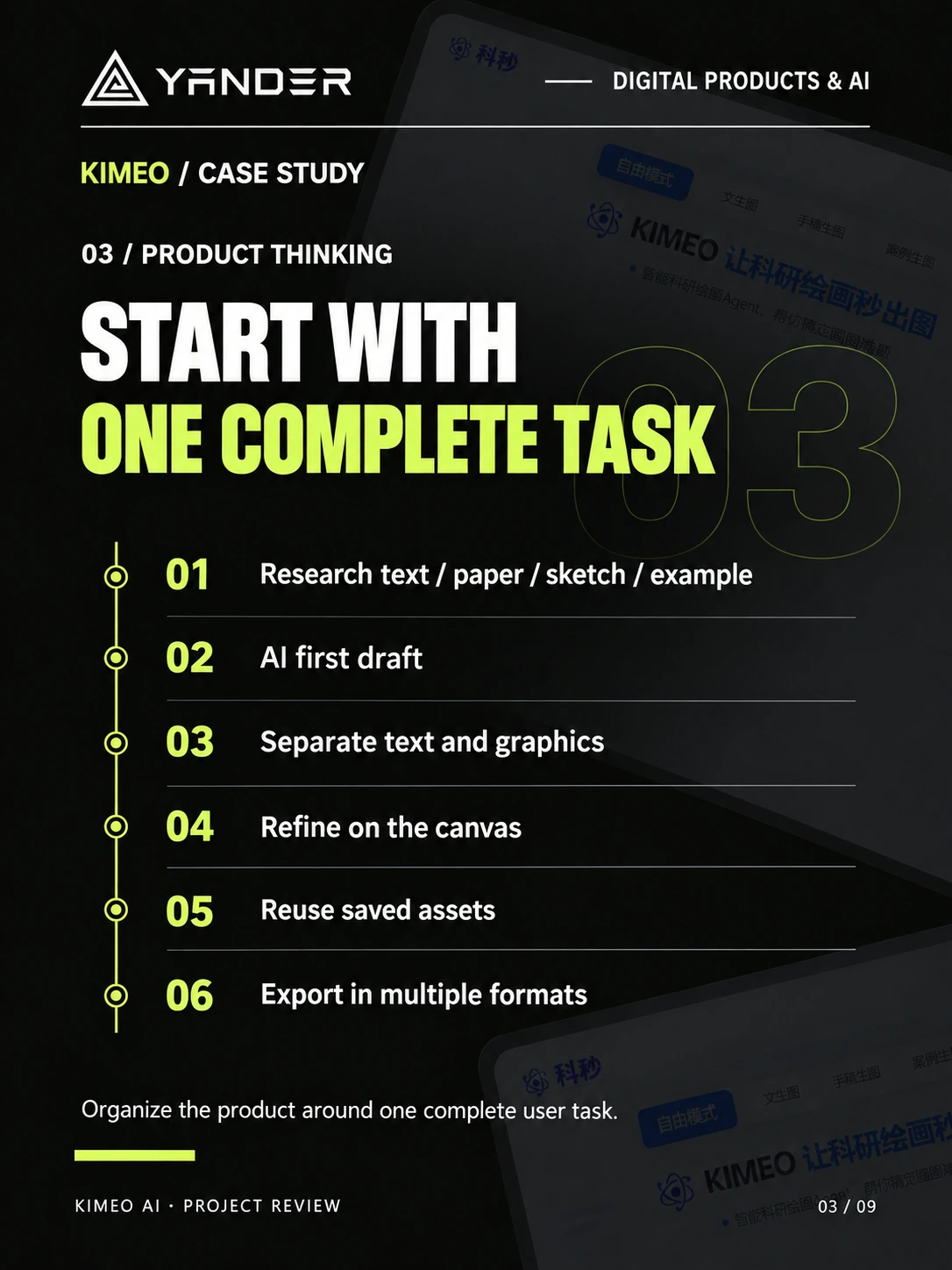
In KIMEO, the work continues after the first generated figure: users separate elements, edit a canvas, reuse assets, and export files. That complete task is a useful way to define an MVP, even when your own product handles documents, sales, or operations.
Start with one complete customer task
Write the first release as a short scenario: a named user brings a specific input, checks a result, makes any necessary correction, and hands it to the next person or system. State what successful completion looks like and who decides whether the result is acceptable.
Choose one target customer and one primary workflow for the first estimate. A product for independent researchers and a shared workspace for a regulated institution can use similar models while needing very different permissions, procurement, and operational support.
- Name the user, their existing process, and the input they already have.
- Specify the deliverable they must save, export, approve, or send.
- List explicit exclusions: for example, team accounts, mobile apps, or additional input formats.
- Include an unusable result, interrupted generation, and a customer who needs to correct a mistake.
Budget for the product around the model
Separate the work into customer interface, AI orchestration, business operations, and delivery. This makes competing proposals easier to compare and exposes dependencies before a fixed scope is agreed.
For example, a saved project requires ownership checks, persistent storage, and a decision about retention. Paid generation requires a definition of billable usage and what happens when a job fails. These are product rules that need agreement before implementation.
| Workstream | Decisions that affect scope |
|---|---|
| Customer workflow | Input formats, editing depth, history, exports, accessibility |
| AI execution | Model/provider choice, queues, retries, output validation, evaluation examples |
| SaaS operations | Accounts, roles, billing, usage limits, support and admin controls |
| Delivery and handoff | Environments, monitoring, deployment access, source code and documentation |
Separate build cost from operating cost
Ask for a build estimate with assumptions, exclusions, milestones, and dependencies. Then ask for the recurring cost model separately. A single project total can conceal the difference between engineering time and costs that grow with actual use.
For a first operating estimate, model the number of jobs per active customer, typical input and output size, retries, model calls per job, storage, and third-party services. Use small, normal, and heavy-use scenarios with current provider prices supplied during estimation. Do not assume one button click equals one model call.
Editing depth is often a major scope decision. A flat image with a download button and a persistent editor with selectable objects are different products. Ask which behavior your users need to complete the job before paying for the larger implementation.
Compare proposals on the same acceptance example
Give each prospective team the same representative input and expected outcome. Ask them to walk through a successful attempt, a wrong result, and a provider outage. The discussion should reveal where the customer can recover and where an operator must intervene.
For each milestone, agree on a demonstration and a deliverable. An early milestone might prove input handling and evaluation on sample tasks; a later milestone can connect the customer journey, billing, and operational handoff. Tie acceptance to observable behavior rather than “AI integration complete”.
Our custom software and SaaS service covers the product and engineering conversation. Use the AI workflow launch checklist to identify evaluation and support work that belongs in the estimate.
Prepare a brief that can support an estimate
Bring a description of the target customer, examples of real inputs with permission to use them, desired outputs, existing systems, required languages, and the intended release window. Mark the features that are essential to a first customer and those that can wait.
Also state who owns product decisions, who will provide access to integrations, and who will run the service after handoff. Ask the delivery team to return a scoped proposal and a list of open assumptions before discussing a final commercial commitment.
Put this into practice
Explore the related work and delivery scope.
- KIMEO: a complete AI figure workflow
See input, editing, reuse, export, and delivery scope in one project.
- Custom software & SaaS development
Discuss the customer journey and the business system behind it.
Define your first useful release
Share the customer task, sample inputs, integrations, and release priorities. We can use them to discuss scope before preparing an estimate.
Discuss your AI SaaS MVP