Building editable AI output: product decisions from KIMEO

6 min read
A generated image can look convincing and still contain a label that must change, an element that should move, or a composition that does not fit the final document. Asking the user to generate everything again can discard the parts they wanted to keep.
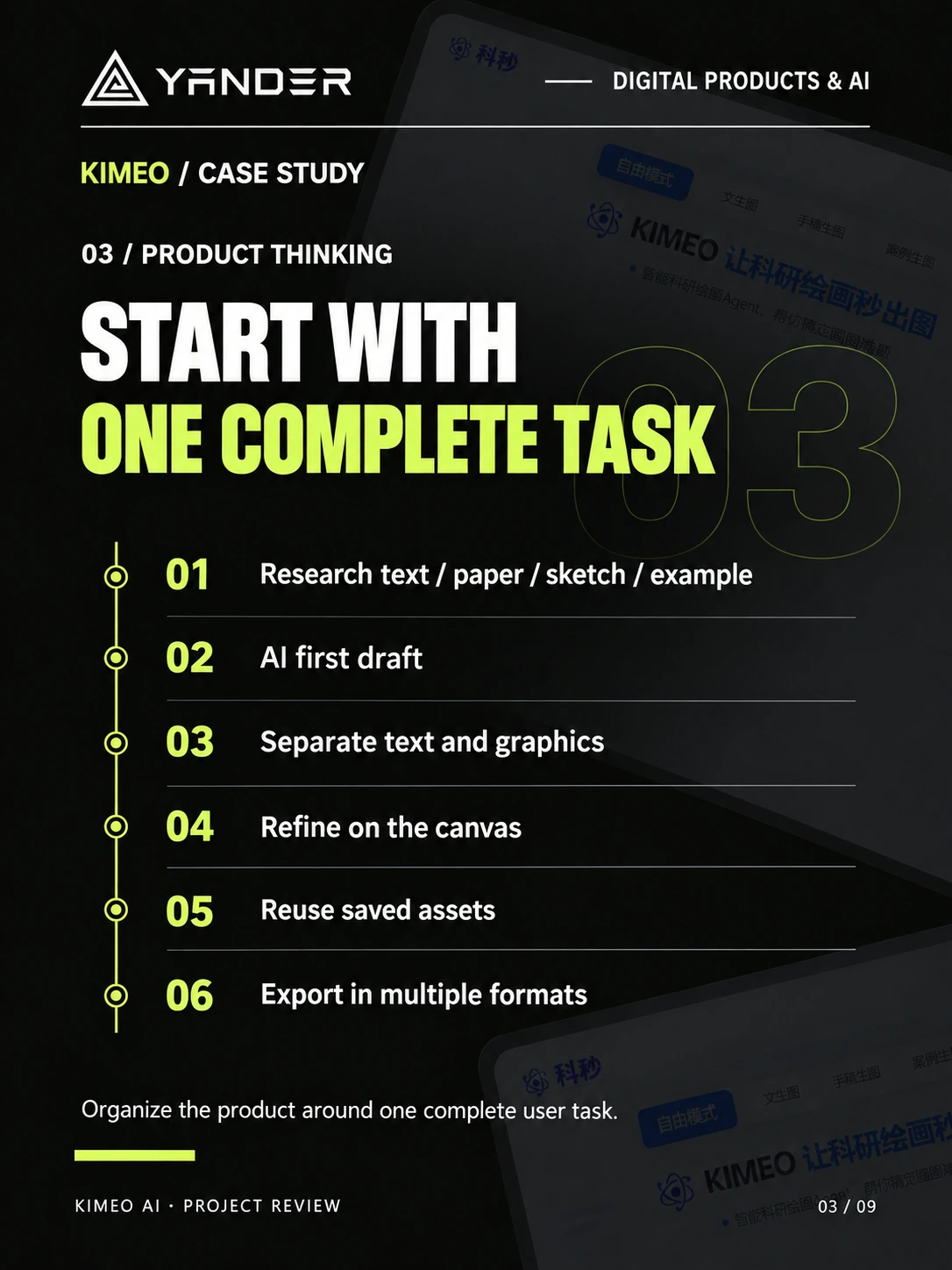
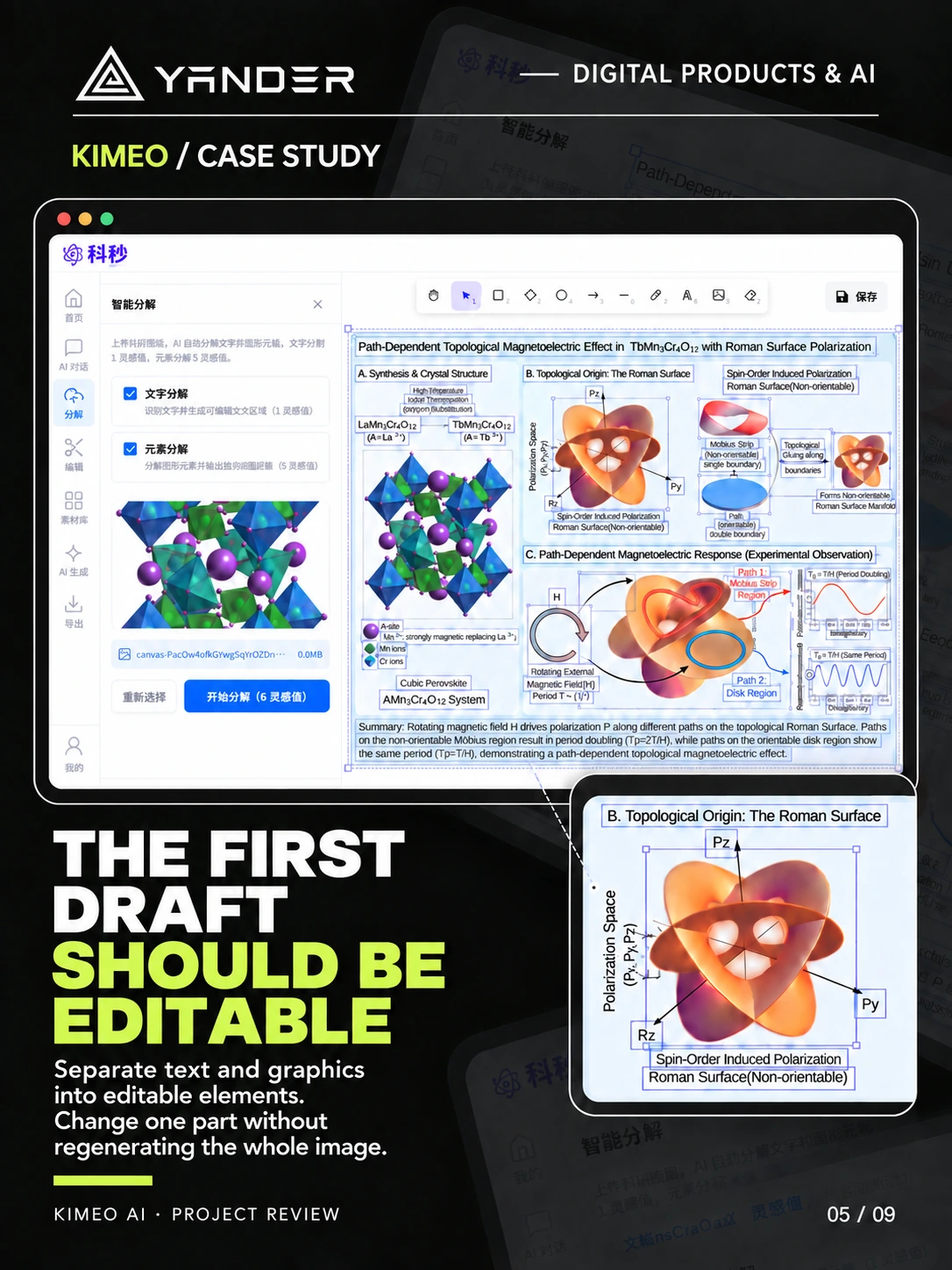
KIMEO is a scientific illustration web tool that connects a first AI draft to element separation, canvas editing, a cloud asset library, and raster or vector export. This article uses that documented product scope to explain decisions a team should make before commissioning an editable AI product.
Define exactly what “editable” means
Start with the changes a user needs to make after generation. Changing a title, moving an object, adjusting a color, and redrawing part of an image require different representations and controls. A file being downloadable does not establish that its contents remain separately editable.
KIMEO separates text and graphics so users can refine individual parts on the canvas. For your product, write an acceptance example that names which objects must be selectable and which properties must persist after saving. Check it with representative output, not only a hand-prepared demonstration.
- Which elements can be selected and changed independently?
- What stays intact when the user edits one element?
- What happens if the generated result cannot be separated cleanly?
- Can a saved project be reopened with its editing structure preserved?
Start from material the customer already has
KIMEO offers free mode, text-to-image, sketch-to-image, and example-to-image. These are different ways into the same drawing task. They let the interface meet a user with existing research text, a rough sketch, or a reference example.
An MVP does not need every input mode. Choose the material that your first customers already use, explain what the system will read, and show what can be changed before generation. Scope file size, unsupported inputs, and cancellation with the upload or creation flow.
Keep generation and revision in one project
Treat the generated draft as a project artifact with a path to continued work. Keep the input context, current version, and editing controls discoverable. The user should be able to see whether they are changing the current canvas, producing an alternative, or replacing the existing result.
Agree on save and recovery behavior before polishing the workspace. Test a failed generation, a browser refresh during editing, and reopening a saved project. Decide which version survives and how the user can recover work without repeating the entire task.
Scientific content still needs review by the person responsible for it. Editing tools help users make corrections; the presence of an editable canvas is not a claim that the generated science is accurate.
Plan reuse and export as product features
KIMEO’s cloud library lets users save elements for later projects. A reusable asset needs a useful preview and a clear ownership boundary. Agree whether it belongs to a person, a team, or a project, and whether changes affect previous uses.
KIMEO supports PNG, JPG, SVG, EPS, PDF, and DXF. Your export requirements should come from the customer’s next tool. A format name alone is not an acceptance test: open representative exports in the intended application and check text, object structure, layout, and visual fidelity.
Vector export and element separation are separate decisions. Define what must remain editable in the exported file, and document any limitations rather than assuming every format preserves the same capabilities.
What to give a team before building an editor
Bring representative source material, generated drafts that need correction, a list of required edits, and the tools used after export. Include difficult examples: overlapping objects, long labels, multilingual text, and an incomplete generation.
The KIMEO case study records Yander’s product and system design, visual and icon design, development, testing, launch, and maintenance scope. The client supplied the trademarks and project-specific copy. For a similar engagement, agree which party supplies domain review, reference material, and rights to input assets.
If you are still defining the first release, start with the AI SaaS MVP scoping guide. It helps separate the editor’s essential behavior from features that can wait.
Put this into practice
Explore the related work and delivery scope.
- KIMEO scientific illustration platform
Explore the project story and original product screens.
- Custom software & SaaS
Plan the editor, saved projects, permissions, and delivery together.
Turn your AI result into a usable workspace
Share a generated example, the changes users need to make, and their required export formats. We can discuss the product and engineering work around that task.
Discuss an editable AI product