AI Tools / Scientific Illustration
AI scientific figures, from first draft to editing, reuse, and export
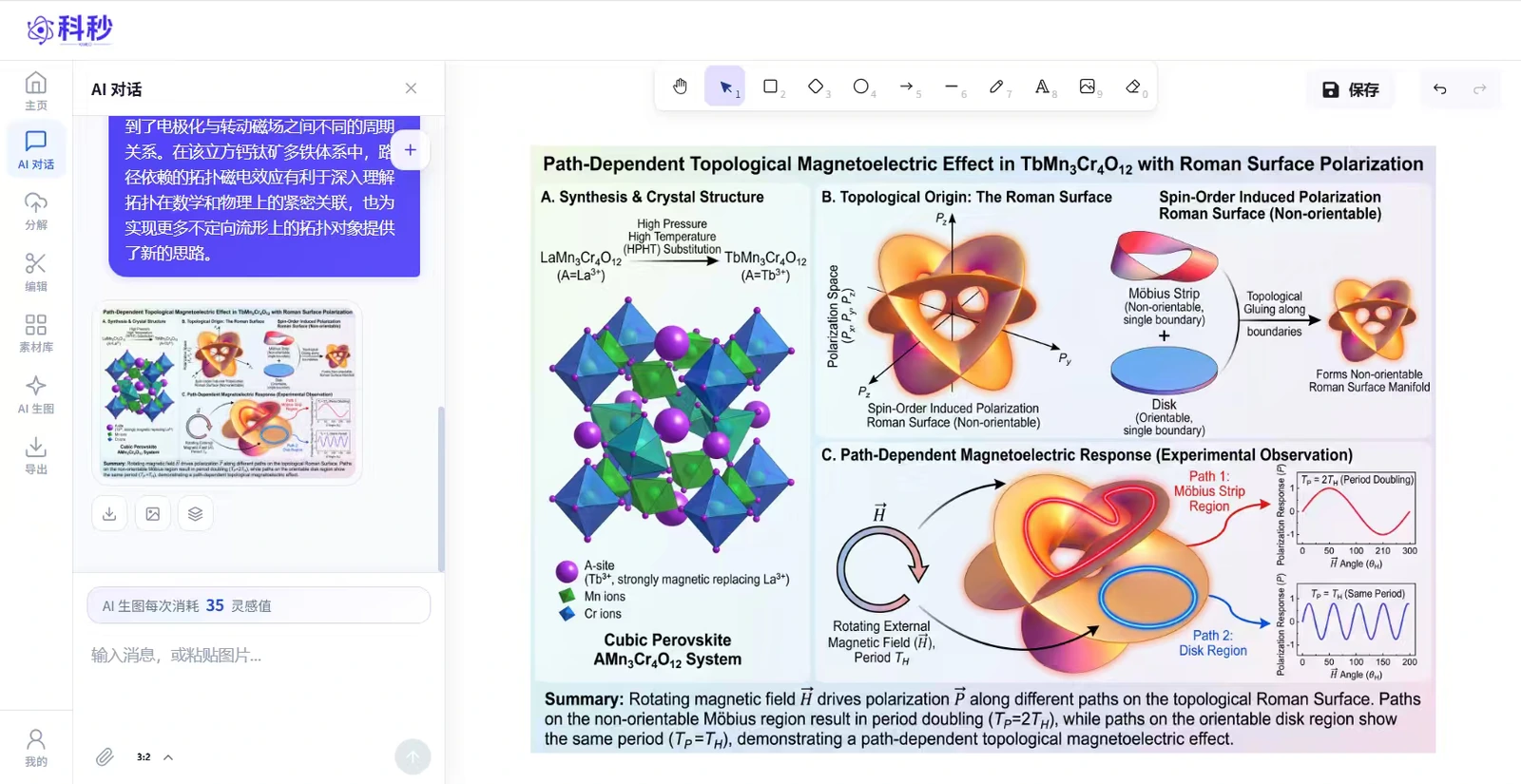
KIMEO lets researchers start with text, sketches, or reference examples, generate a first draft, separate text and graphics, refine the canvas, reuse assets, and export raster or vector files.
- Industry
- AI Tools · Research
- Platforms
- Web Workspace
- Services
- Product & System DesignInterface & Icon DesignWeb Development
Project Overview
Scientific figures need more than a first draft
AI can produce a first draft, but researchers still need to adjust individual parts, reuse existing elements, and move the finished file into papers, presentations, and further layout work. KIMEO organizes input, generation, separation, editing, asset management, and export around that complete task.
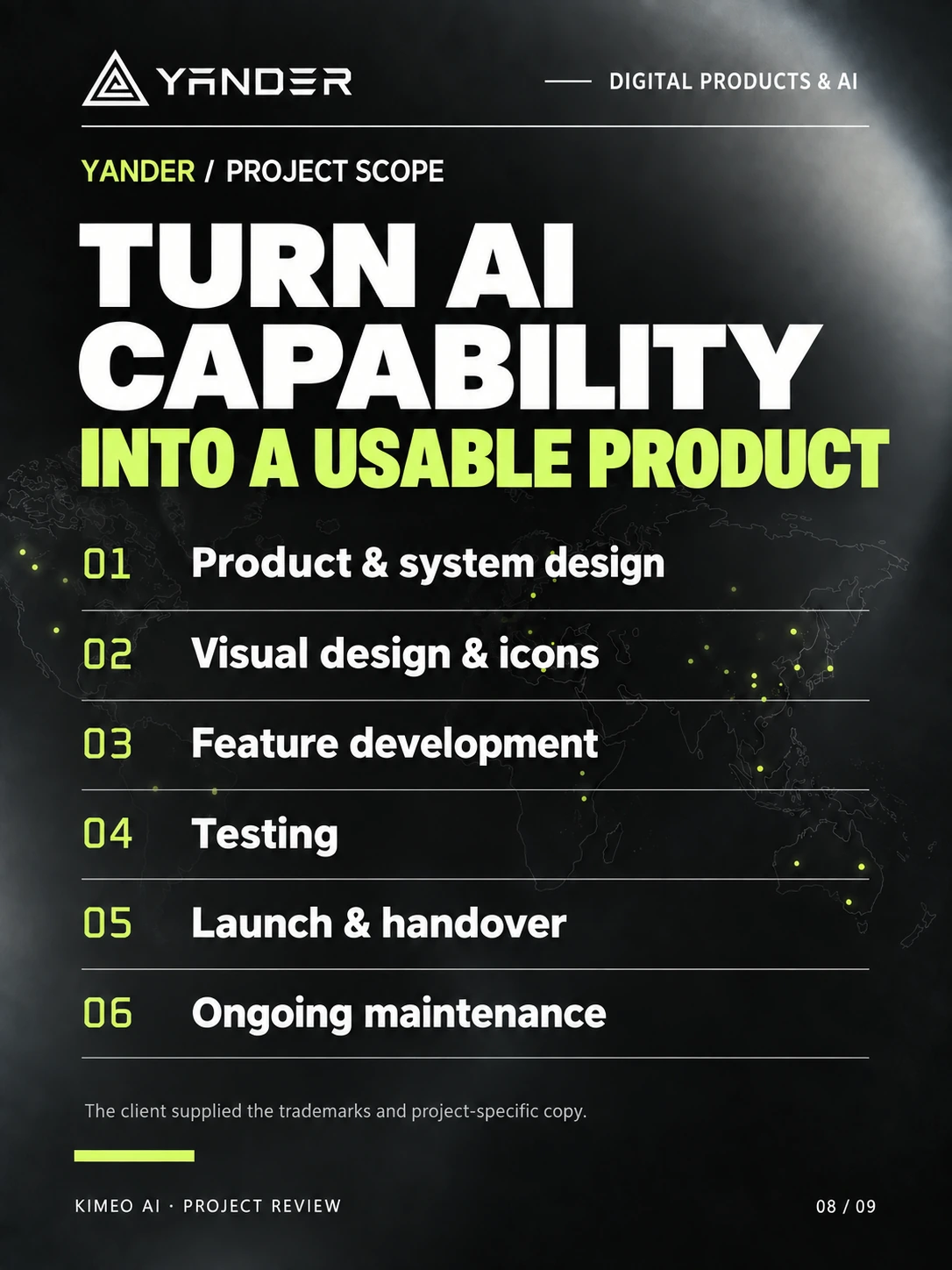
Yander handled product and system design, interface visuals and icons, feature development, testing, launch, and ongoing maintenance for the web app. The client supplied the trademark assets and project-specific copy.
- Input
- 4 ways to start
- Editing
- Separate text & graphics
- Assets
- Cloud storage & reuse
- Export
- Raster + vector
Project Story
Nine pages following one complete drawing task
Follow the product decisions behind the input modes, editable elements, asset reuse, and export workflow. Product screenshots retain their original Chinese UI.

The Challenge
Researchers still need to work after generation
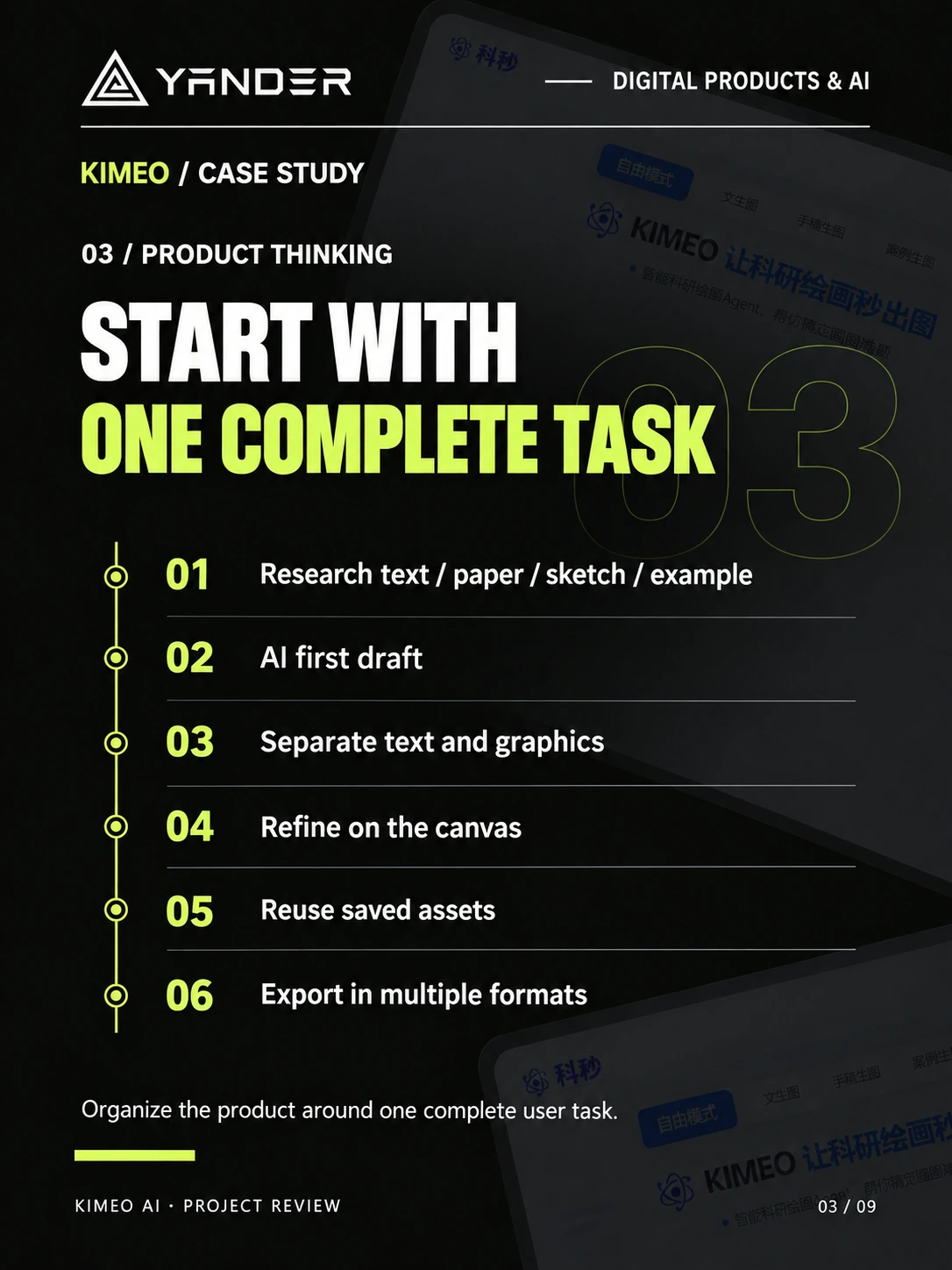
Users arrive with different materials and may not know how to write prompts. If a result needs full regeneration for every change, or cannot be reused and exported, the task breaks down during editing and layout.
The Solution
Start with existing materials and connect the next steps
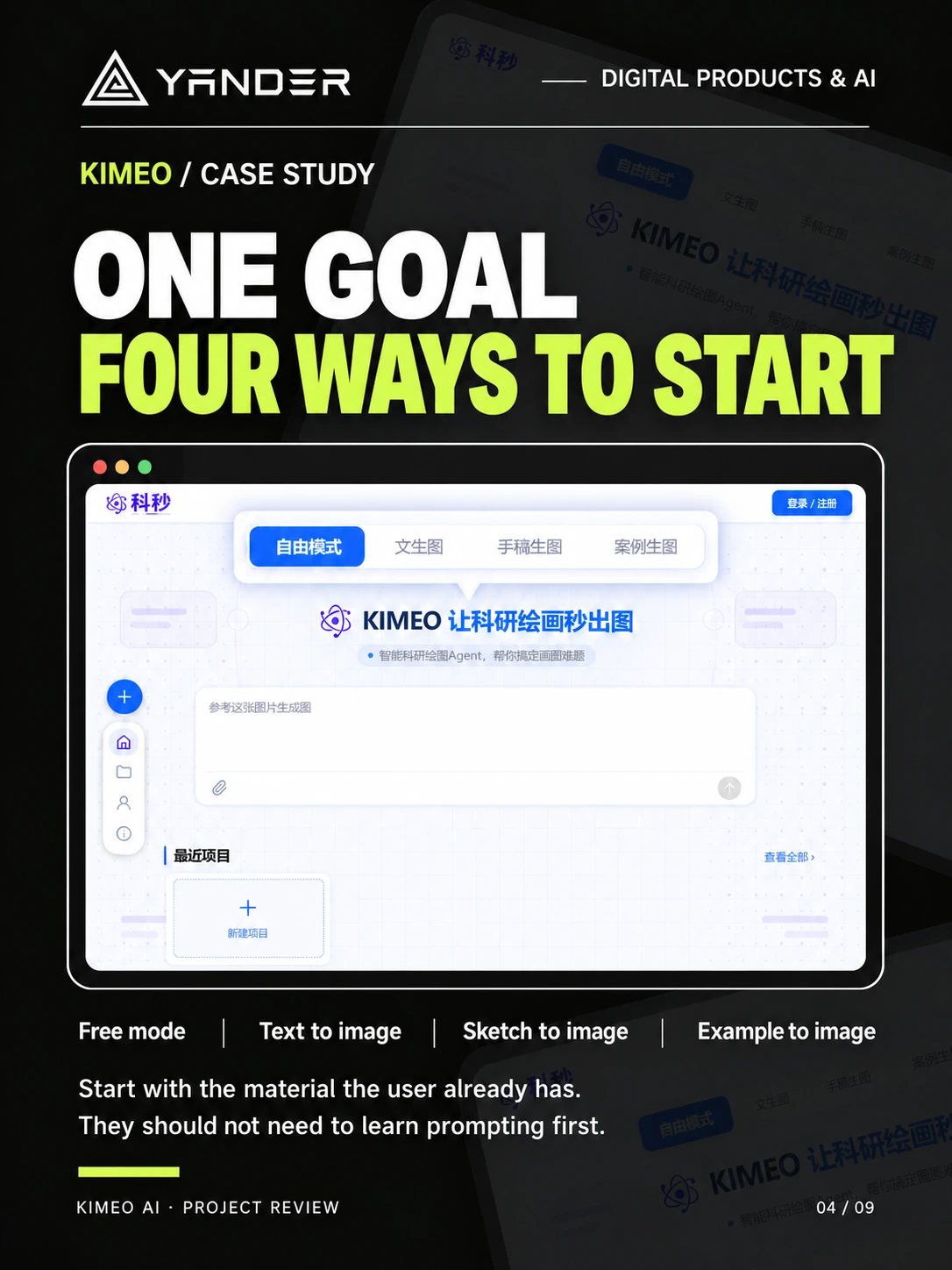
Free mode, text-to-image, sketch-to-image, and example-to-image offer four starting points. First drafts move into element separation and canvas editing, reusable elements go into the cloud library, and finished figures leave in formats suited to further work.
Product Capabilities
Tools arranged around input, revision, reuse, and delivery
01
Four practical starting points
Start freely or use research text, a sketch, or a reference example, depending on the material already at hand.
02
Editable first drafts
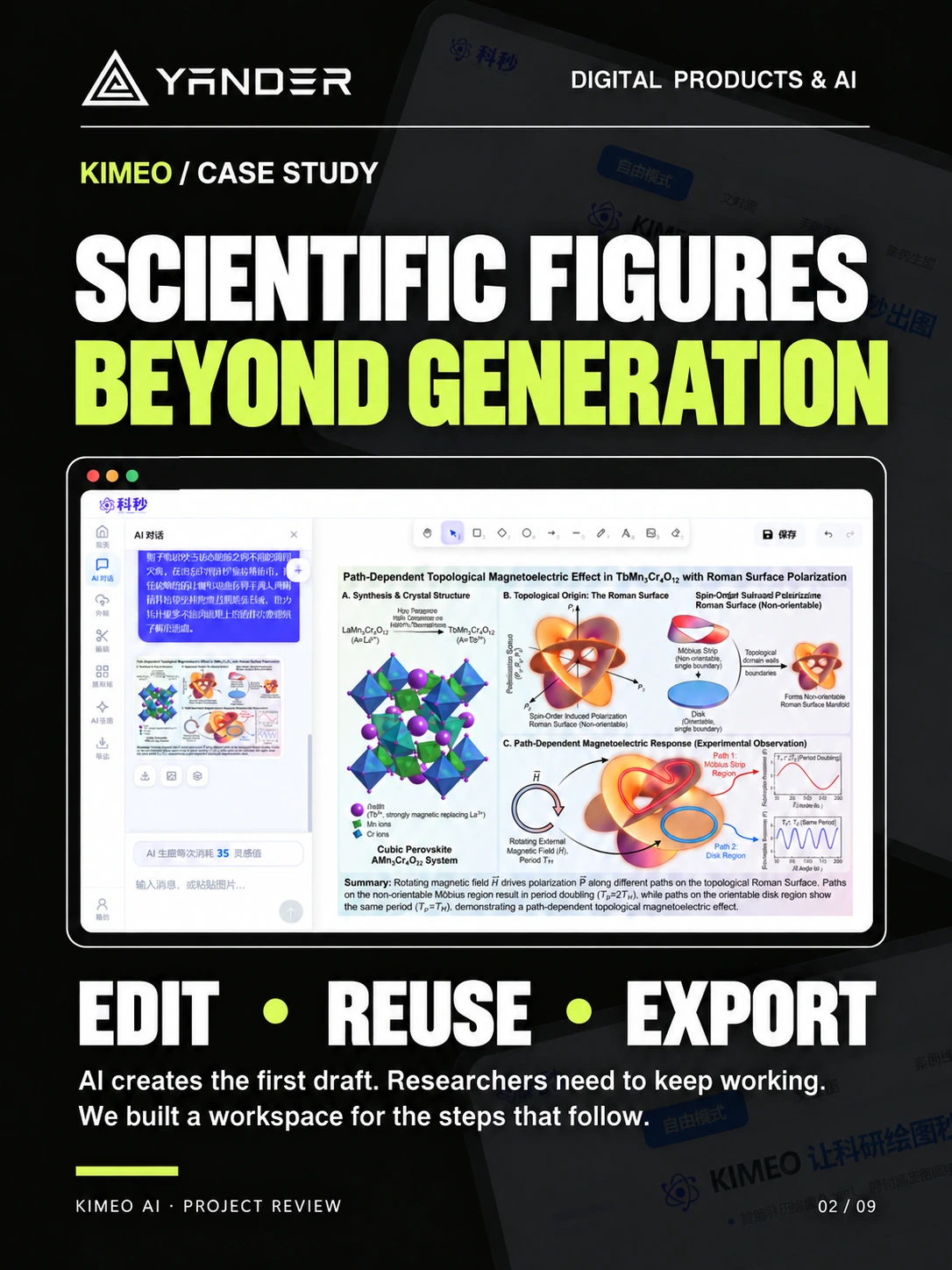
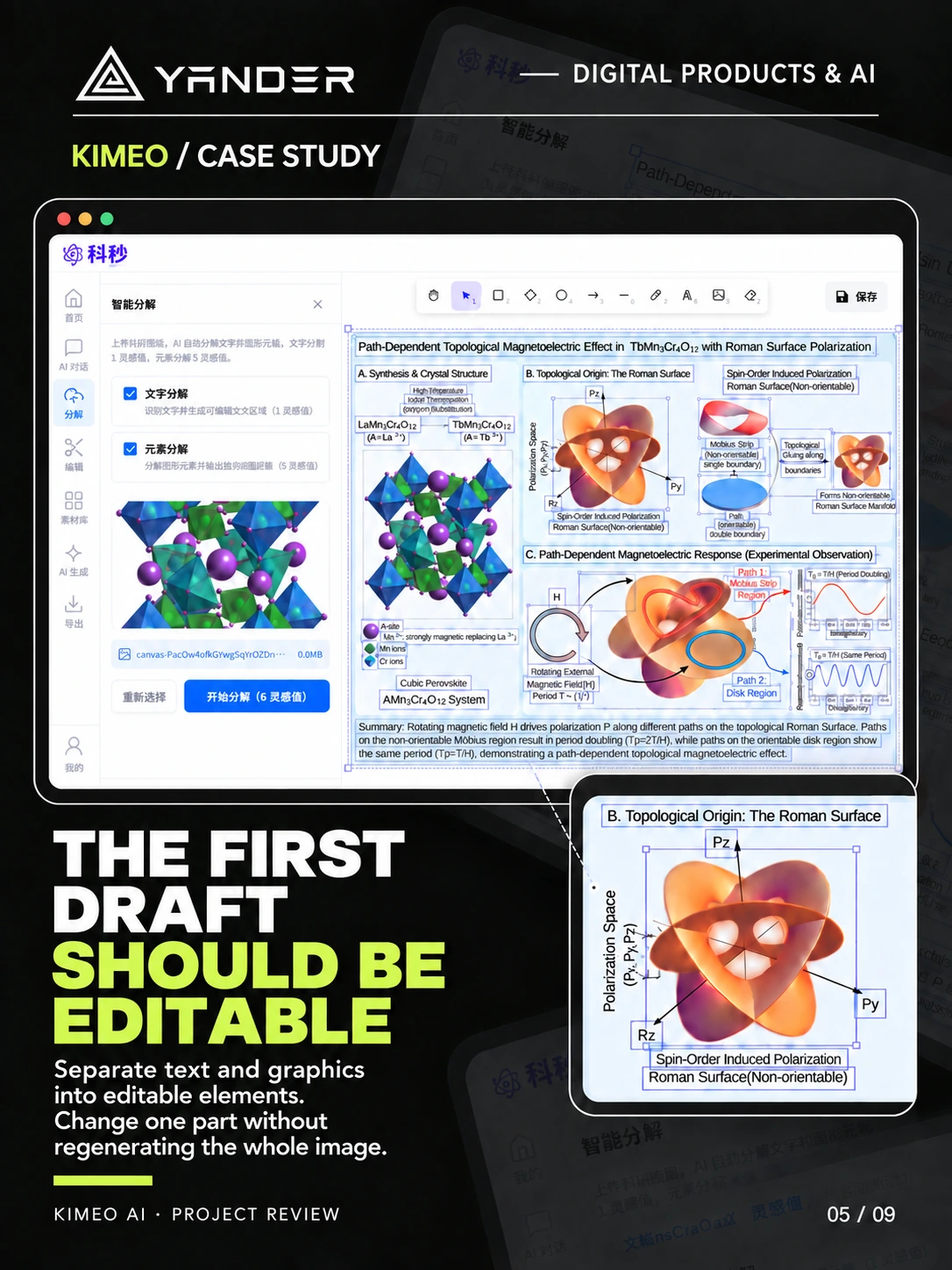
Separate text and graphics, then refine individual elements on the canvas while keeping the rest of the figure.
03
Reusable scientific assets
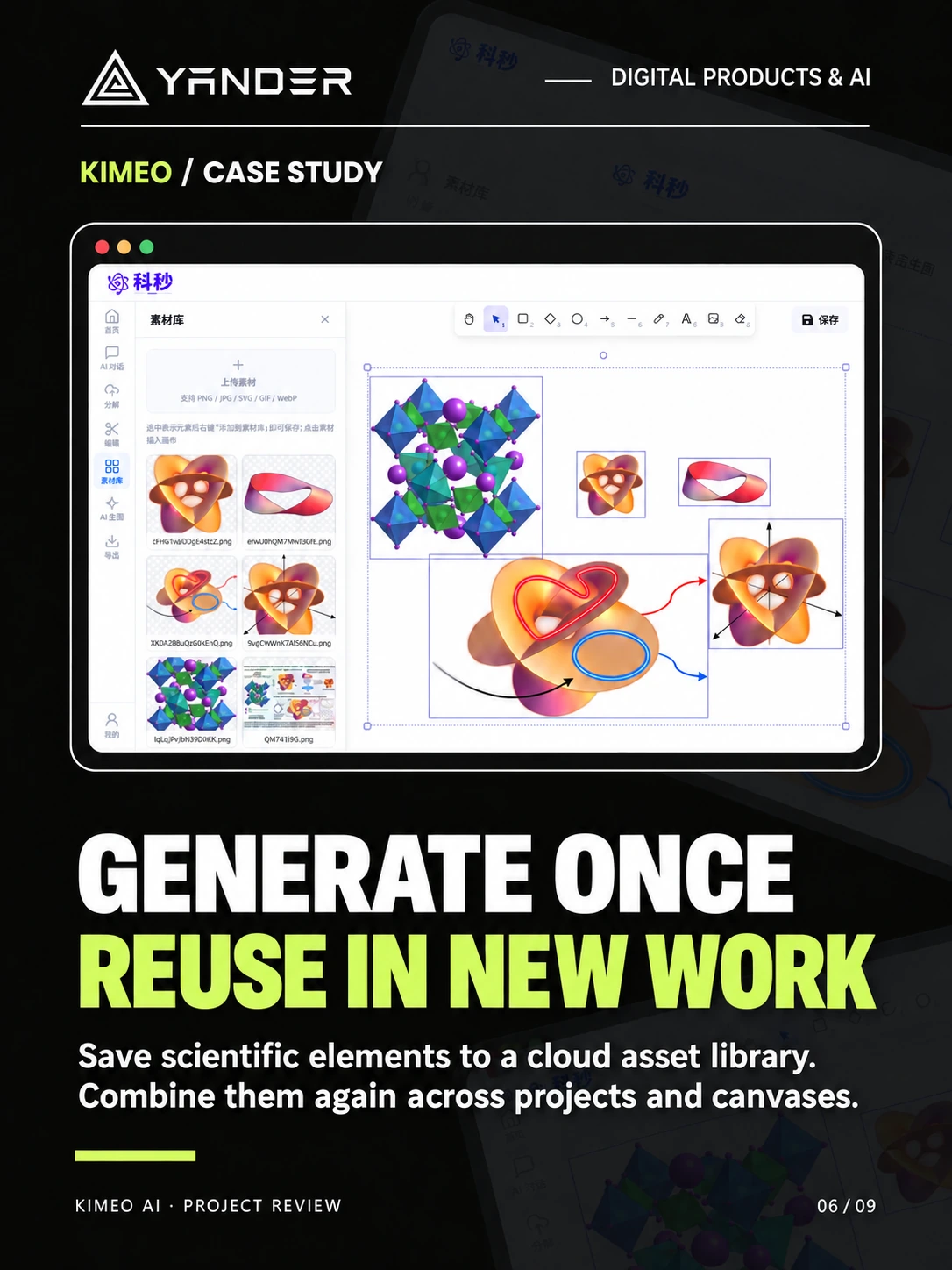
Save frequently used elements in a cloud asset library and combine them again in new projects and canvases.
04
Back into the research workflow
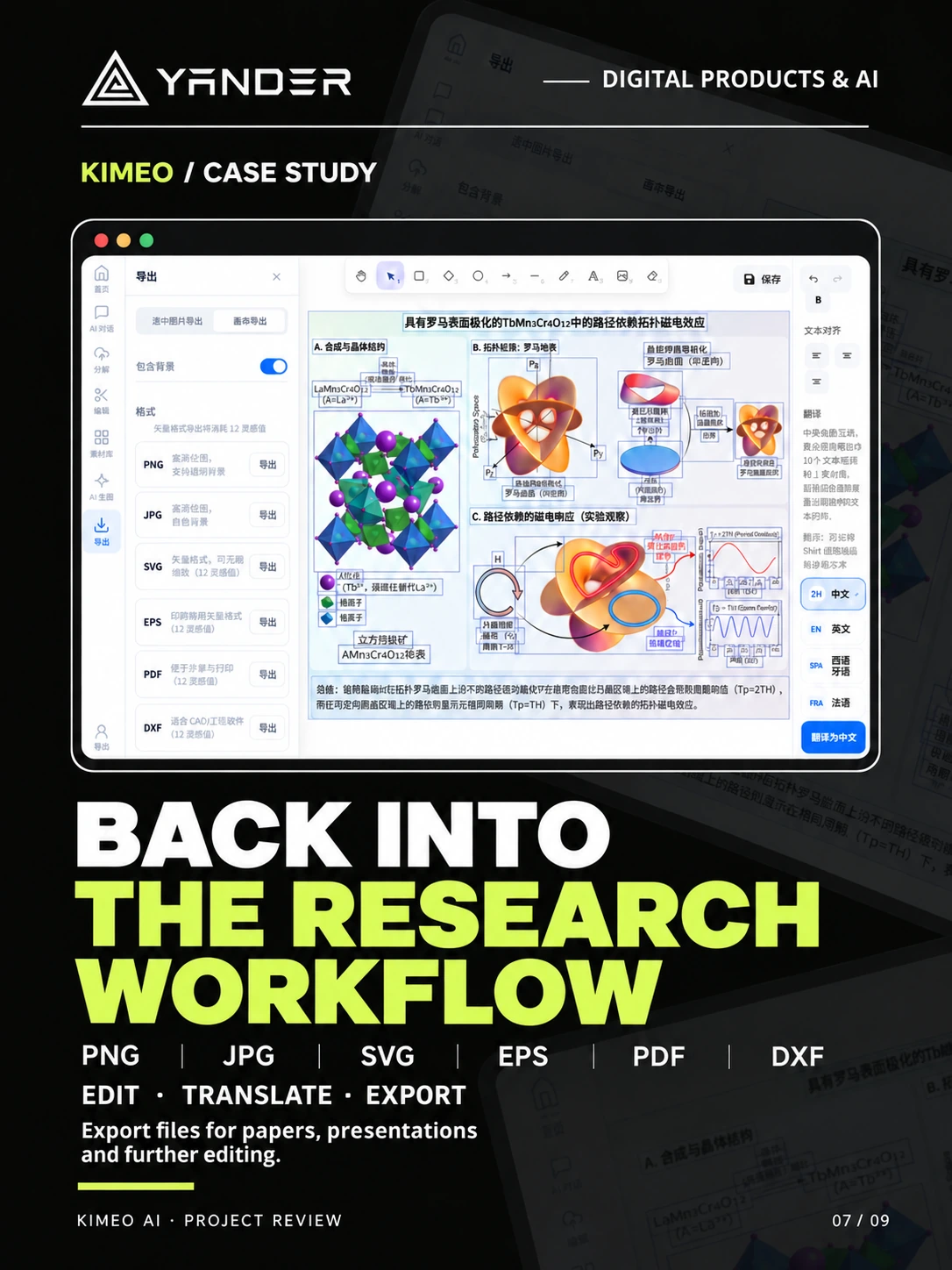
Edit and translate, then export PNG, JPG, SVG, EPS, PDF, or DXF for papers, presentations, and further layout work.
Product Outcome
An AI figure tool that carries the whole task through
KIMEO brings AI first drafts, an editable canvas, asset management, and file export into one continuous path, so users can keep working on generated results until they have a file ready for the next step.
- 4 starting points
- Free mode, text, sketches, and examples
- Editable elements
- Adjust text and graphics separately
- 6 export formats
- PNG, JPG, SVG, EPS, PDF, DXF
Project record
Original product work designed and developed by Yander
This case documents the product scope, interface design, and engineering work Yander delivered for the client using project screens, recordings, and delivery materials.
- Portfolio record
- Original design and development work delivered by Yander
- Live product
- No public product URL available
- Project date
- Not publicly disclosed
- Production stack
- Only technologies named in this case are published; the complete stack is not disclosed
- Client-approved testimonial
- Not publicly disclosed
- Measured before/after results
- Not publicly disclosed
Case FAQ
What is KIMEO AI designed for?
KIMEO is a scientific illustration tool. Researchers can generate a first draft from text, a sketch, or a reference example, then separate elements, edit, manage assets, and export files.
Can users edit a generated figure?
Yes. The product separates text and graphics into editable elements, so users can adjust individual parts on the canvas without regenerating the entire image each time.
Which file formats can it export?
KIMEO supports raster and vector formats including PNG, JPG, SVG, EPS, PDF, and DXF for papers, presentations, and further editing.
What did Yander deliver for this project?
Yander handled product and system design, interface visuals and icons, feature development, testing, launch, and maintenance for the KIMEO web app. The client supplied the trademarks and project-specific copy.
Next case study
Hyde
Have a product in mind?
Let’s turn the difficult part into a product people understand.
Bring us the workflow, business constraints, and ambition. We will help shape the product and ship it.
Start a project