Smart hardware / AI motion health
Bringing IMU sensing, AI motion analysis, and anomaly feedback into one health app
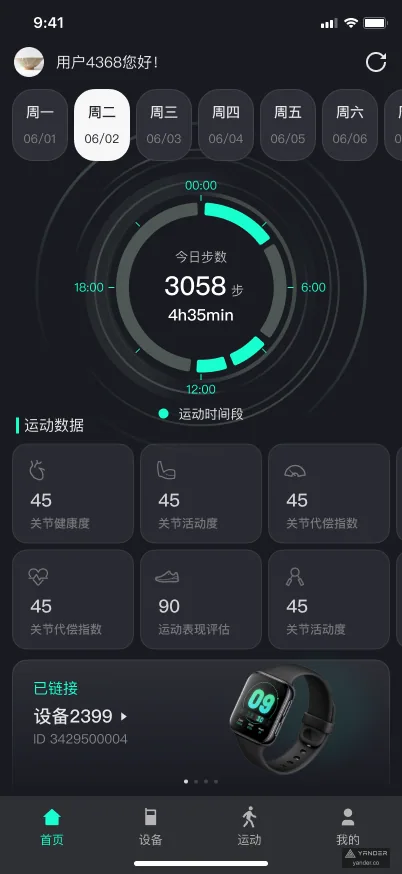
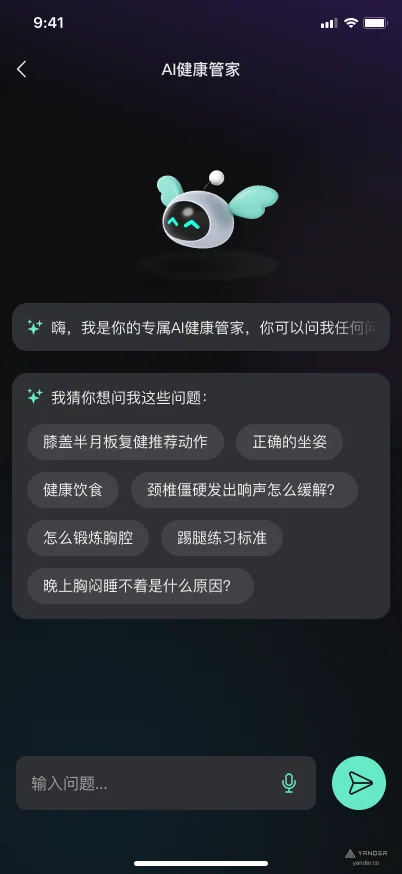
Designed for everyday movement and joint-health management, the product combines IMU onboarding and calibration, live motion data, joint metrics, anomaly feedback, trend reports, and an AI health assistant in one mobile monitoring experience.

- Industry
- Smart hardware & digital health
- Platforms
- Mobile app · IMU device
- Services
- Product designAI experienceHardware UX
Overview
Motion data becomes useful only when device state, body feedback, and training context remain connected
An IMU can produce rich posture and movement data, but users first have to navigate pairing, connection quality, placement, and calibration. If any step is unclear, the measurements that follow lose credibility.
The experience organizes hardware preparation, live exercise, anomaly feedback, joint metrics, historical reports, and AI-assisted health questions into one continuous path that makes complex sensor capability understandable and actionable.
- Screen scope
- 32 screens
- Device flow
- Connect + calibrate
- Core experience
- Monitor + report
- Intelligence
- AI health assistant
Product interface
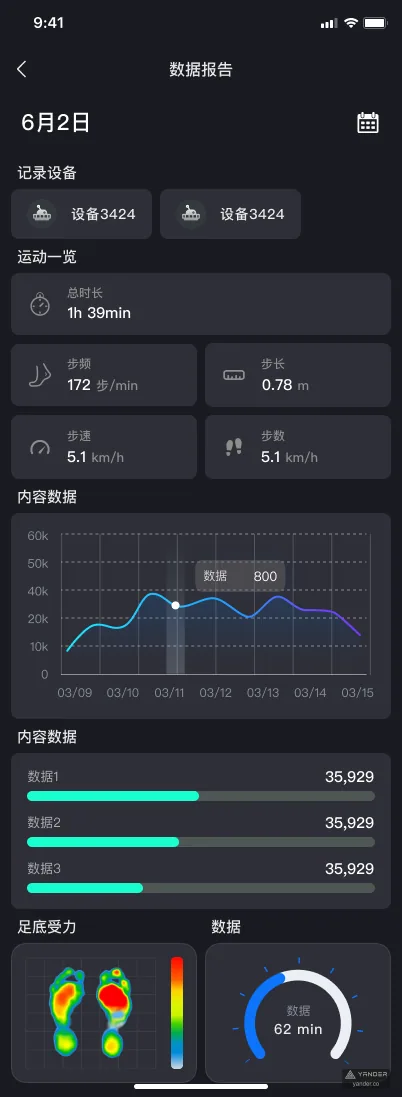
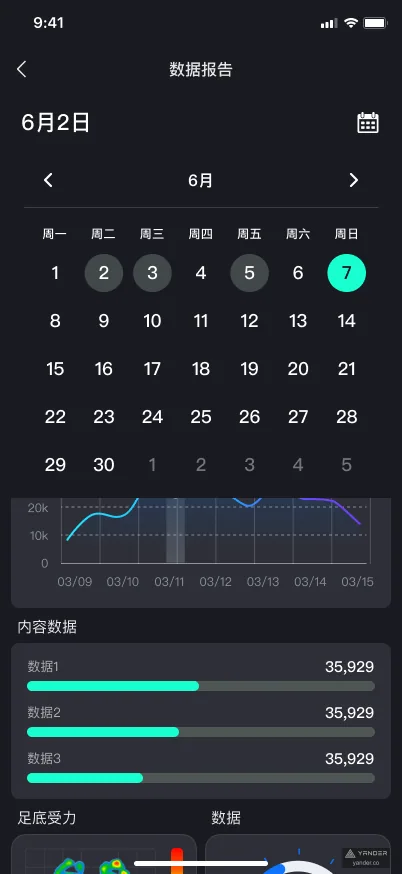
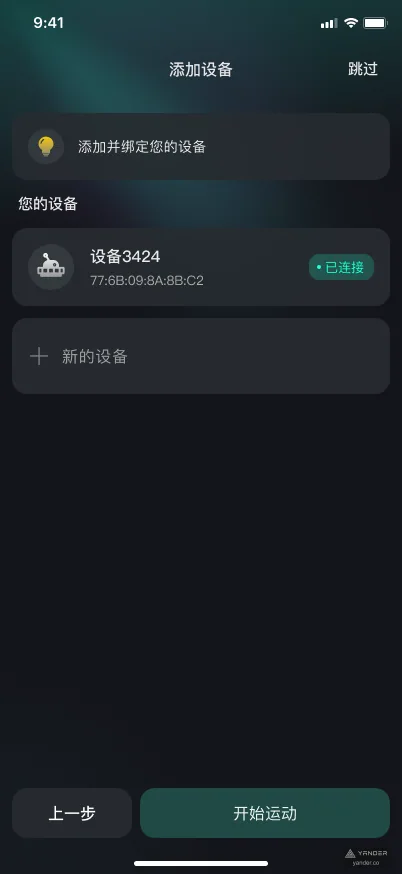
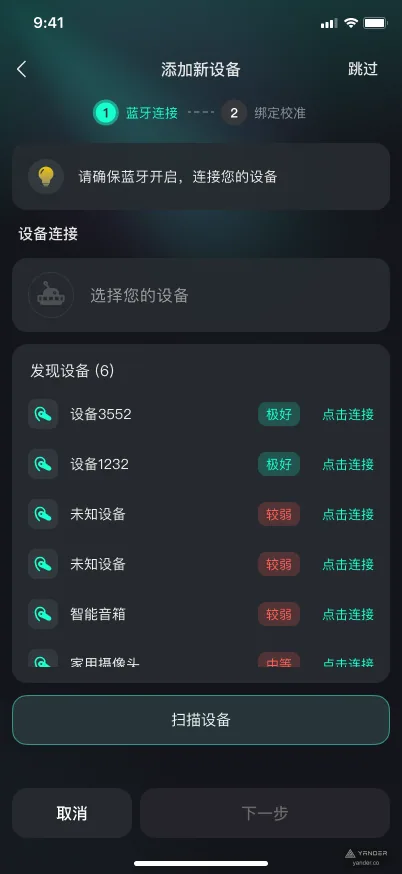
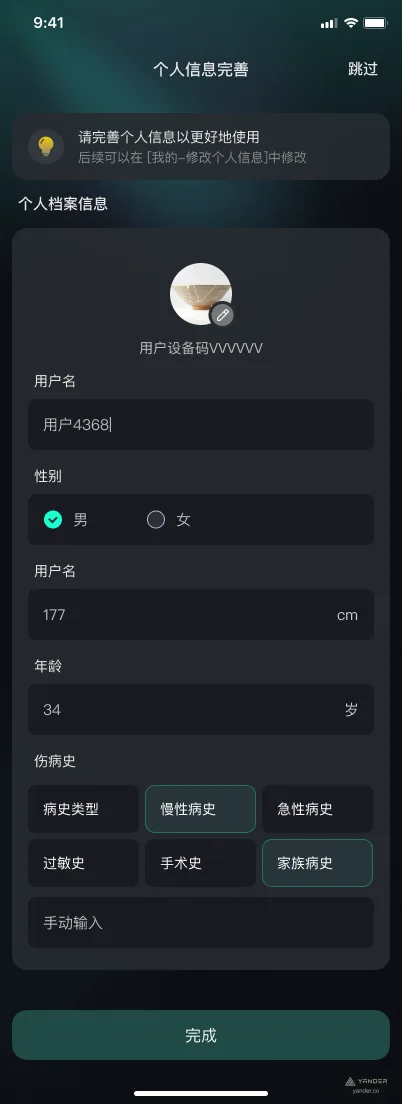
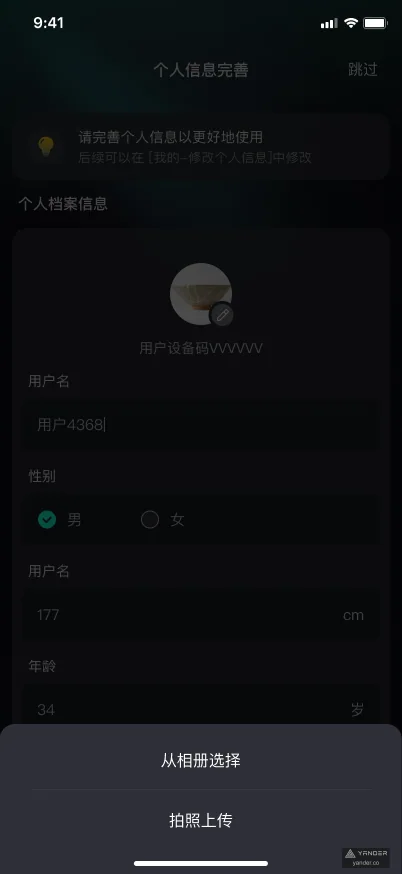
32 screens spanning device onboarding through long-term health insight
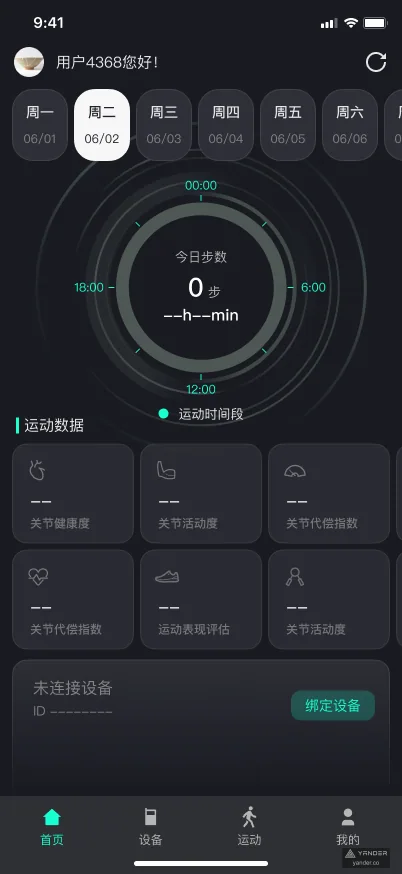
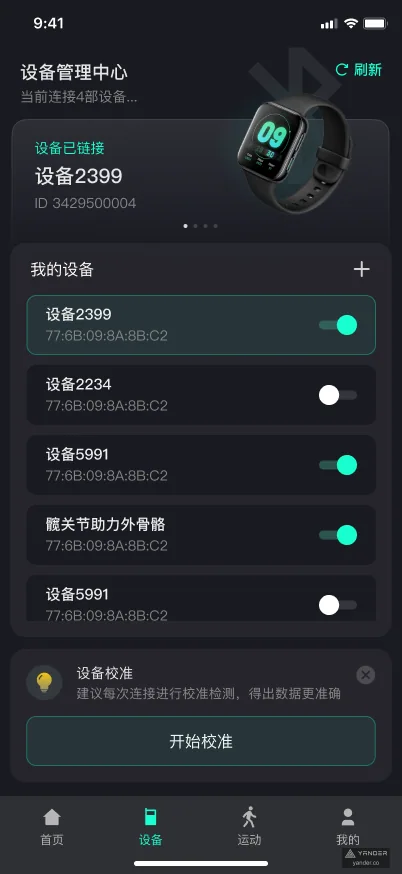
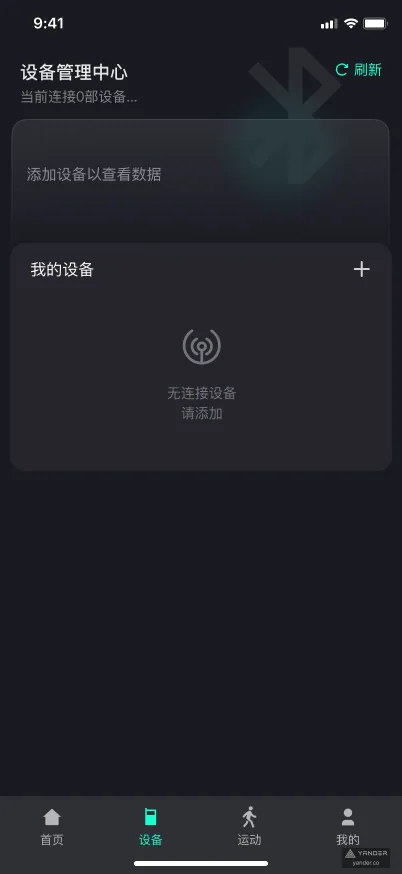
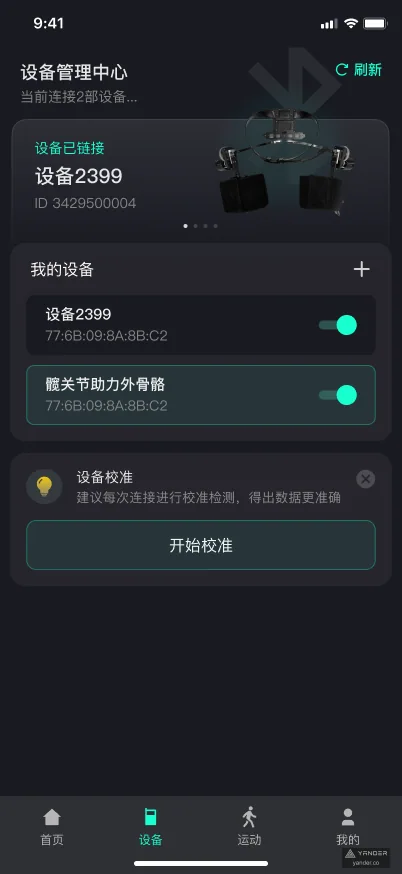
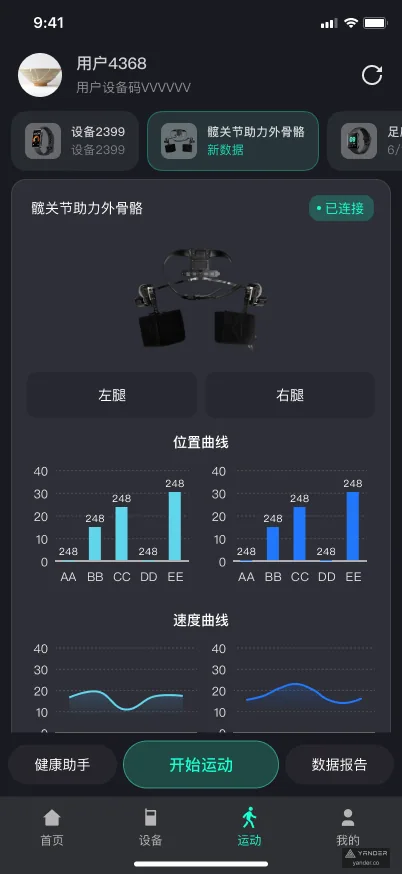
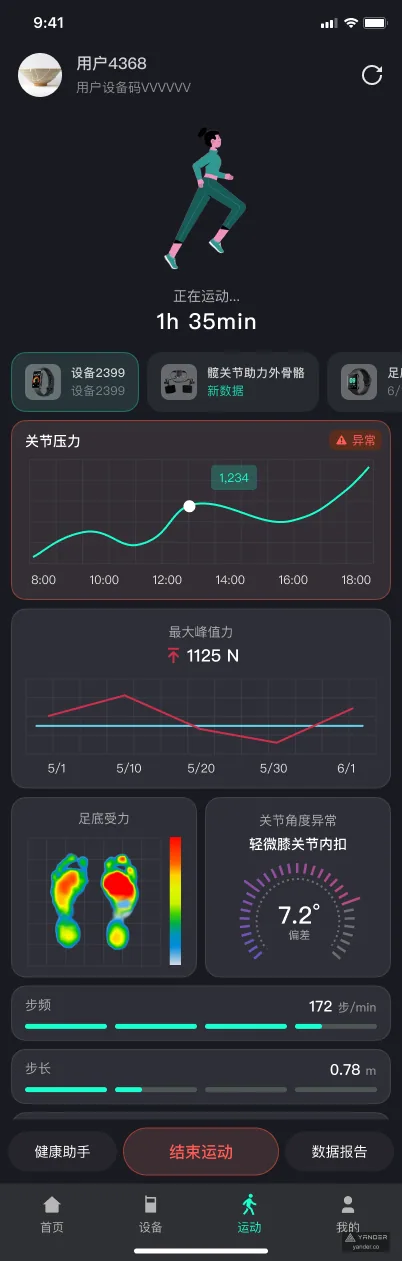
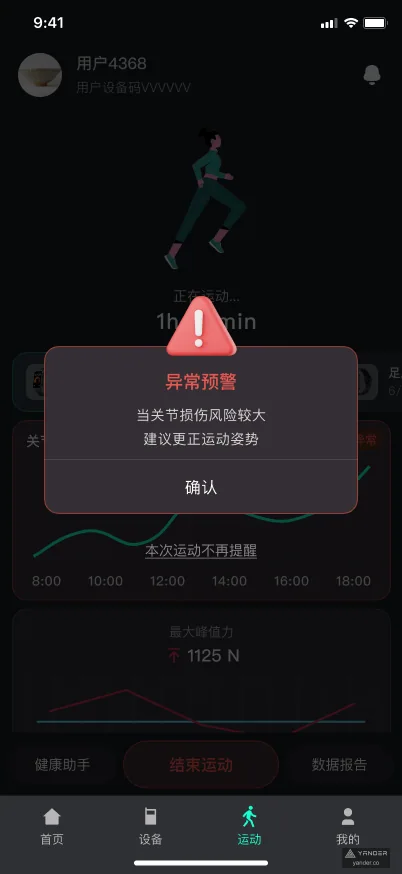
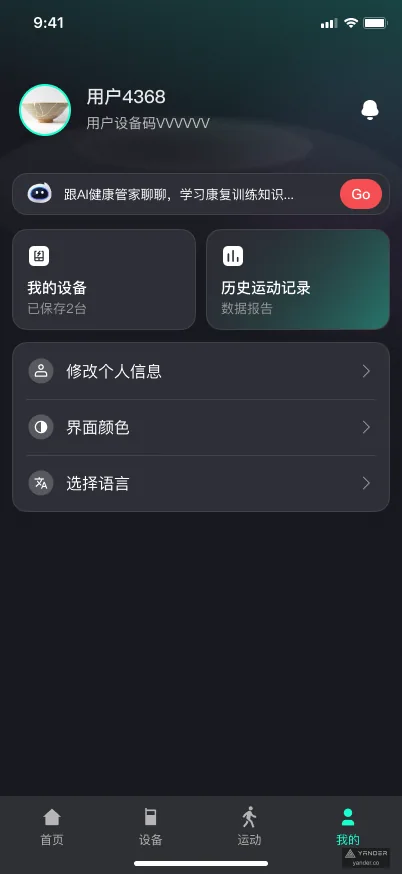
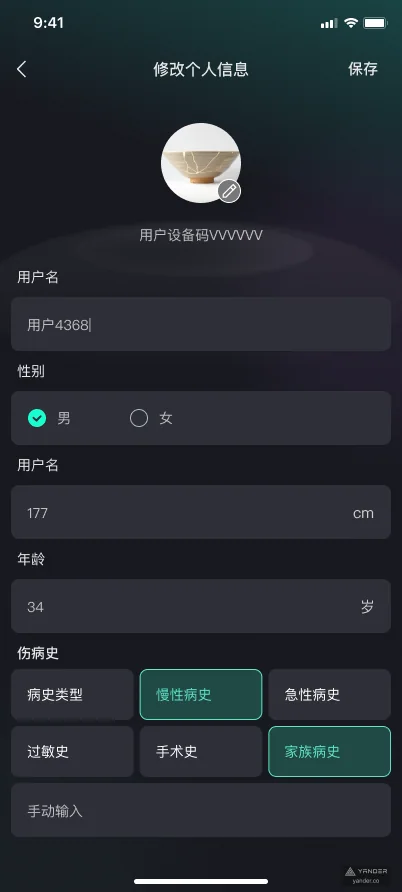
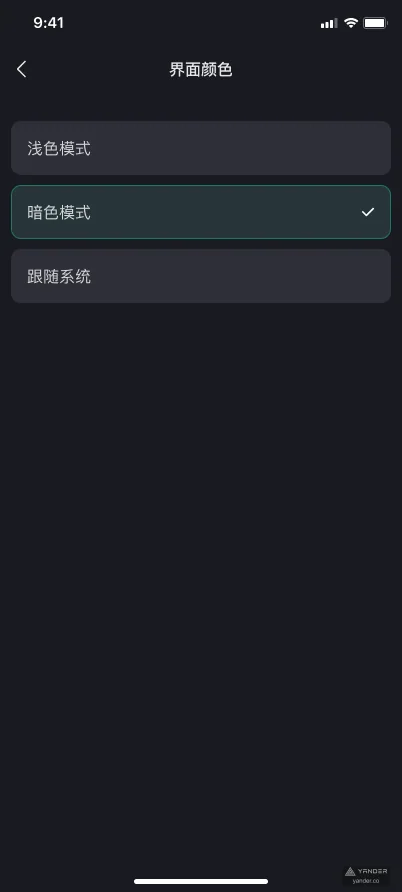
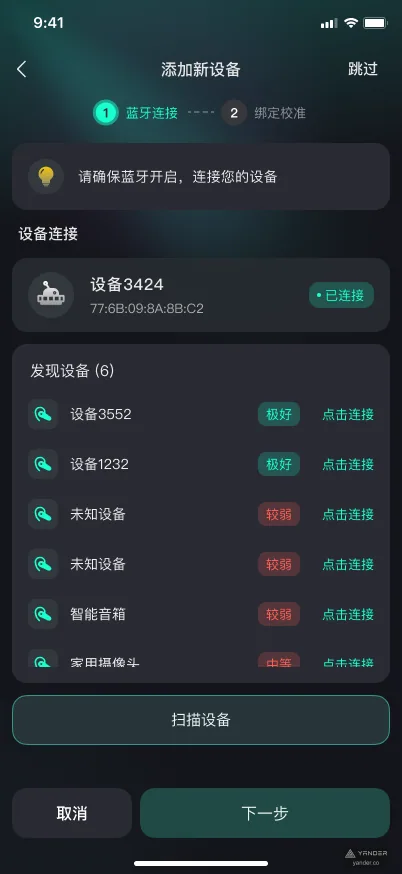
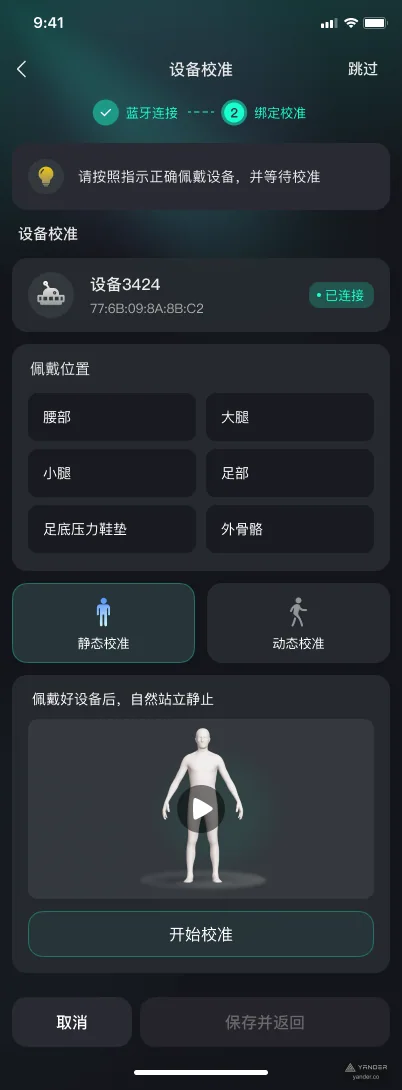
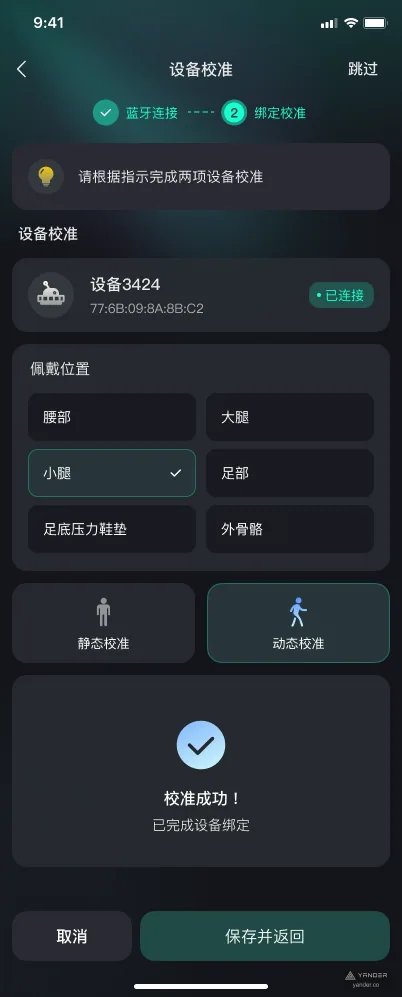
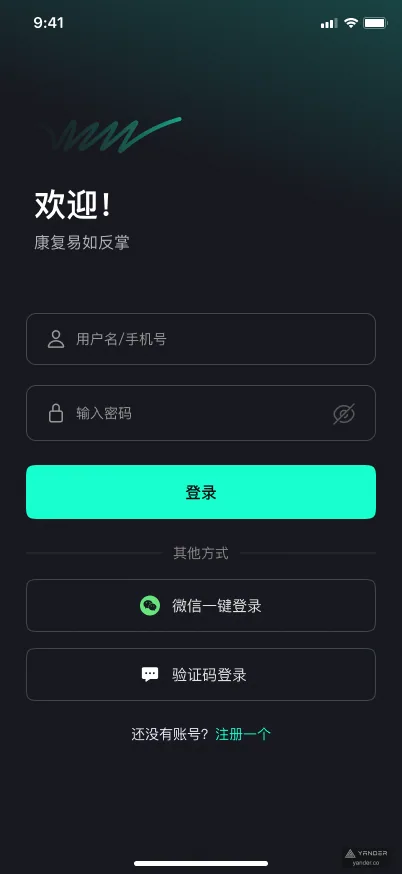
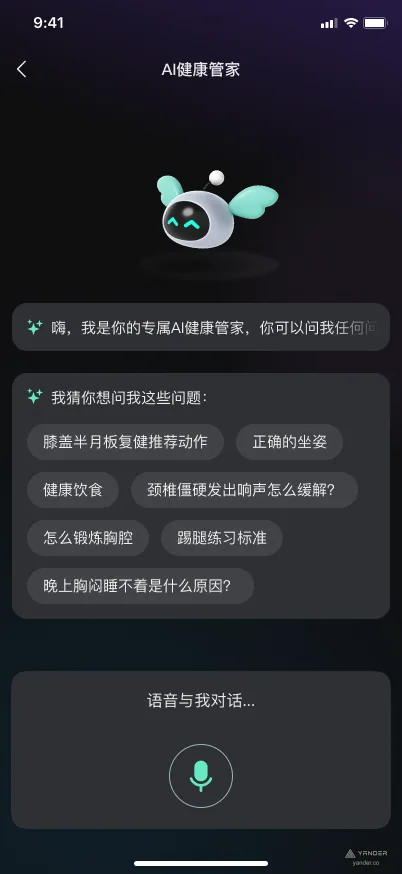
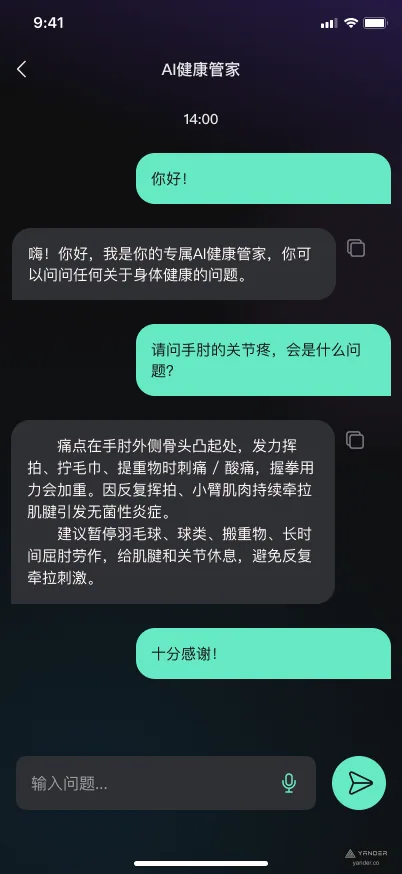
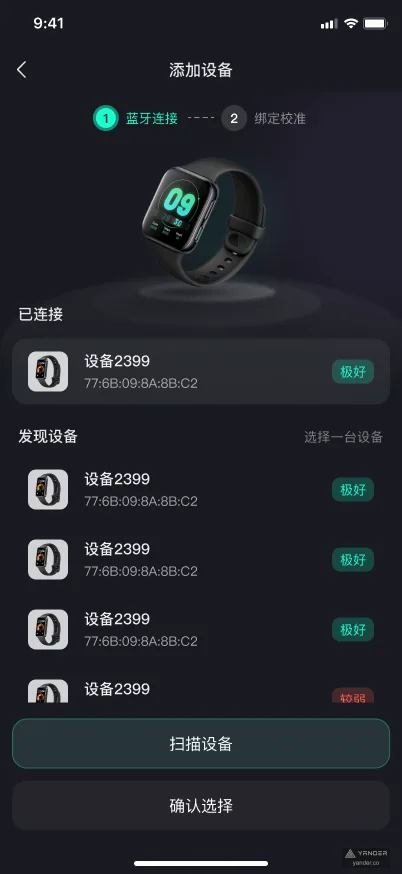
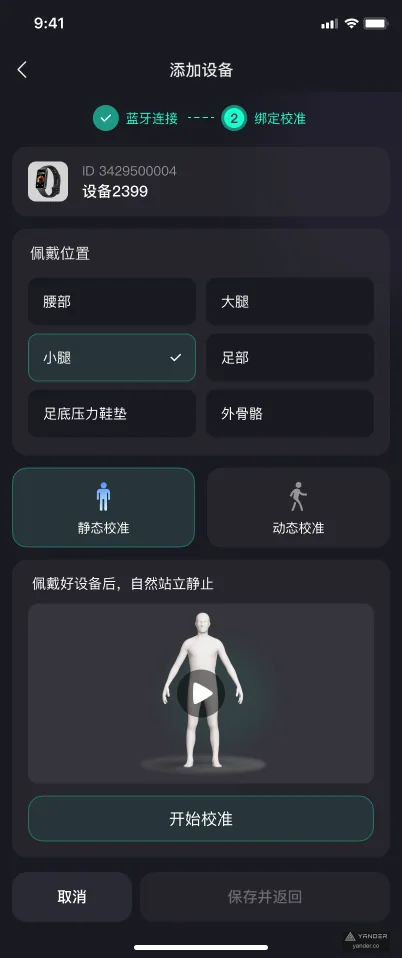
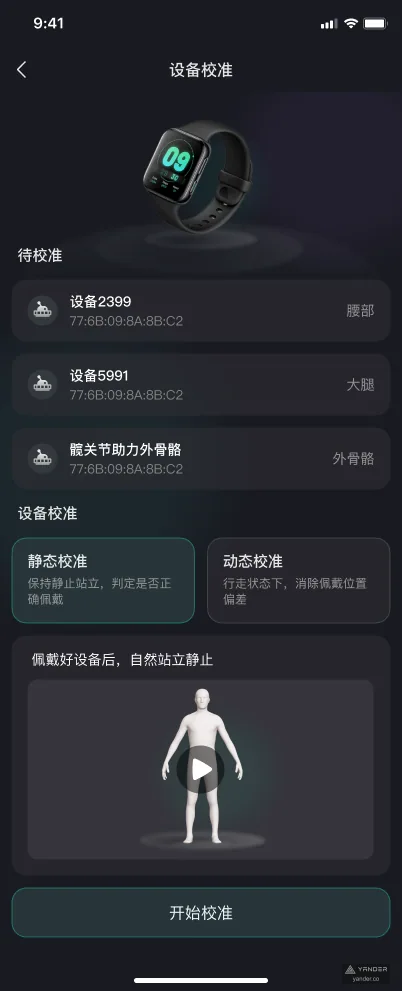
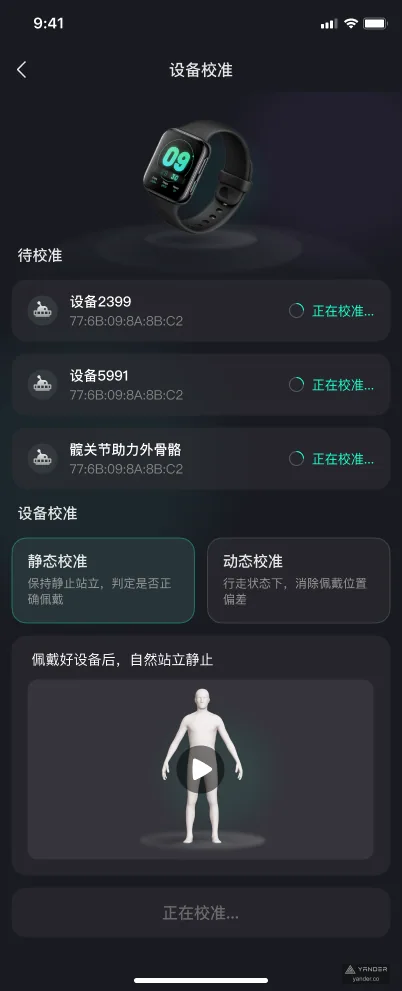
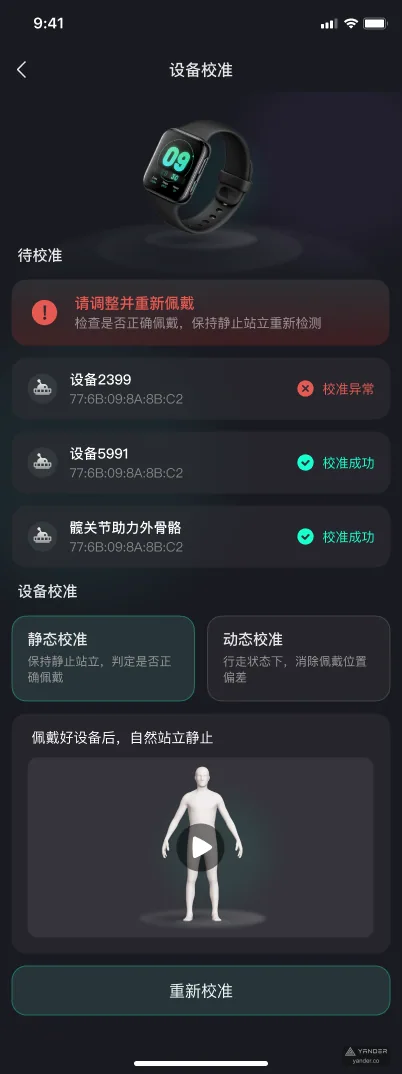
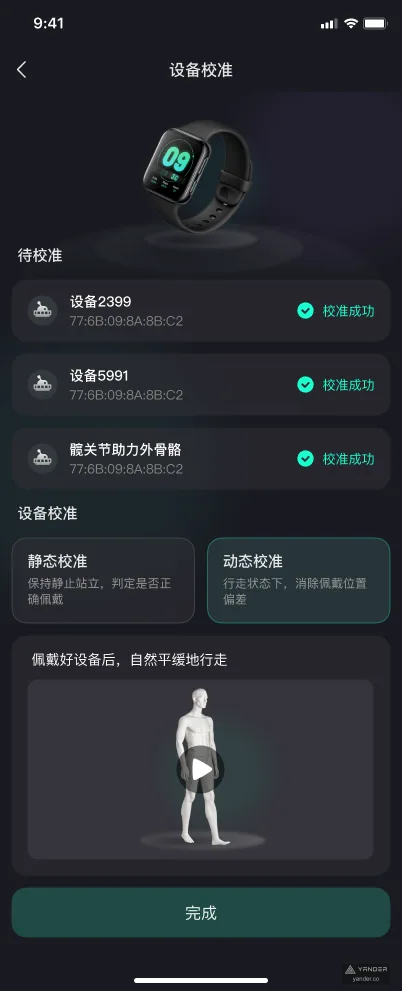
Every image below is an original export from the final Figma design, including standard, empty, anomaly, modal, long-page, and complete calibration states.

The challenge
Make a professional sensor workflow trustworthy without putting hardware terminology in the user's way
Device scanning, Bluetooth state, signal quality, placement, and multi-step calibration can all interrupt first use. Once exercise begins, live metrics, anomaly feedback, and reports must remain clear enough to prevent misinterpretation.
The solution
Connect hardware and health outcomes through stepwise states, immediate feedback, and one consistent cyan signal
Connection and calibration make the current step, device state, and next action explicit. Live metrics, anomaly feedback, and reports continue the same visual language so users always understand what is being measured and what to do next.
Product system
From the first connection to explainable feedback after every session
01
Device onboarding and calibration
Scanning, connection, device selection, state feedback, first-use guidance, and multi-step calibration reduce uncertainty before measurement begins.
02
Live exercise and anomaly feedback
Steps, active periods, joint metrics, and anomaly states share one monitoring view that prioritizes what needs attention now.
03
Reports and AI health assistant
Historical data, trend reports, and conversational health questions connect raw readings to understanding and informed next actions.
Product outcome
An AI health product that turns IMU data into understandable motion feedback
The design goes beyond core screens to cover disconnected devices, empty data, exercise anomalies, modal feedback, personal settings, and first-use journeys found in a real product.
- 32 screens
- Complete product states included
- End to end
- Device, exercise, reports, and AI
- Complete states
- Standard, empty, anomaly, and modal
Project record
Original product work designed and developed by Yander
This case documents the product scope, interface design, and engineering work Yander delivered for the client using project screens, recordings, and delivery materials.
- Portfolio record
- Original design and development work delivered by Yander
- Live product
- No public product URL available
- Project date
- Not publicly disclosed
- Production stack
- Only technologies named in this case are published; the complete stack is not disclosed
- Client-approved testimonial
- Not publicly disclosed
- Measured before/after results
- Not publicly disclosed
Case FAQ
Why does a motion health app need a dedicated device-calibration flow?
IMU data quality depends on connection state, placement, and calibration actions. Clear steps with immediate feedback reduce bad readings and help users trust the results that follow.
How does AI support an IMU motion health app?
AI can turn continuous sensor readings into understandable motion feedback, anomaly cues, and trend explanations, while the health assistant lets users ask follow-up questions about their reports. Recommendations should still preserve clear evidence and boundaries.
Next case study
Mietzy
Have a product in mind?
Let’s turn the difficult part into a product people understand.
Bring us the workflow, business constraints, and ambition. We will help shape the product and ship it.
Start a project